In short
- Since 27 October 2026 you can connect ChatGPT to iCloud Mail and iCloud Calendar, on every plan including Free, on the web, desktop and iOS.
- It only covers your iCloud account, not the other accounts in Apple's Mail app, and you connect with an Apple app-specific password.
- If work email or a work calendar lives in iCloud, agree first on what ChatGPT may do on its own, especially when it comes to sending email.
Can you connect ChatGPT to Apple Mail and Apple Calendar? Yes, since 27 October 2026. OpenAI released two plugins, iCloud Mail and iCloud Calendar, that let ChatGPT find emails, catch you up on your inbox, check your schedule and update events. They are available on all plans, on the web, in the desktop app and on iOS (OpenAI, release notes). OpenAI mentions no exception for Europe, so they work in the UK and the EU as well.
The main condition: this is about your iCloud account, not the Mail app on your iPhone or Mac. A Microsoft 365 or Gmail account you have added to Apple Mail stays invisible to this plugin. You connect with an app-specific password, a separate password you create at Apple for a single app. For most companies little changes. For business owners who run their work through iCloud, quite a lot does.
What can ChatGPT do with iCloud Mail and Calendar?
OpenAI's announcement lists four things: find that email, catch up on your inbox, check what's next and update a calendar event (ChatGPT on X). According to MacRumors, the Mail plugin can search and read messages, manage messages and drafts, send email and look up iCloud contacts. The Calendar plugin reads, schedules and updates the same events you see in the Calendar app on your iPhone (MacRumors).
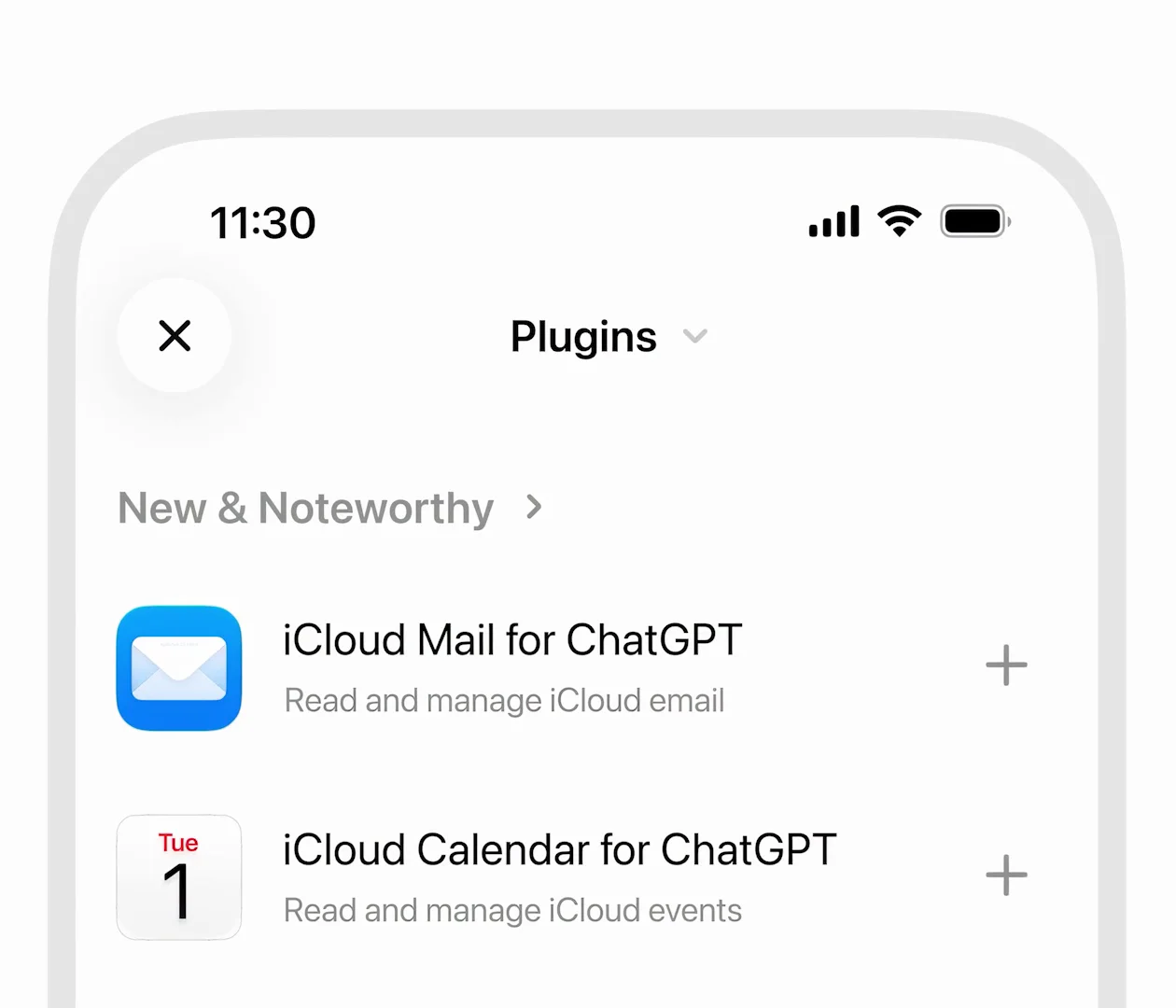
Image: ChatGPT (OpenAI), announcement video on X, 27 October 2026.
The value lies in using both together. In the video someone asks: "I want to use my museum membership more. Find an event when I'm free." ChatGPT searches the inbox for exhibition details, checks the calendar for a free slot and books the visit for Tuesday evening.
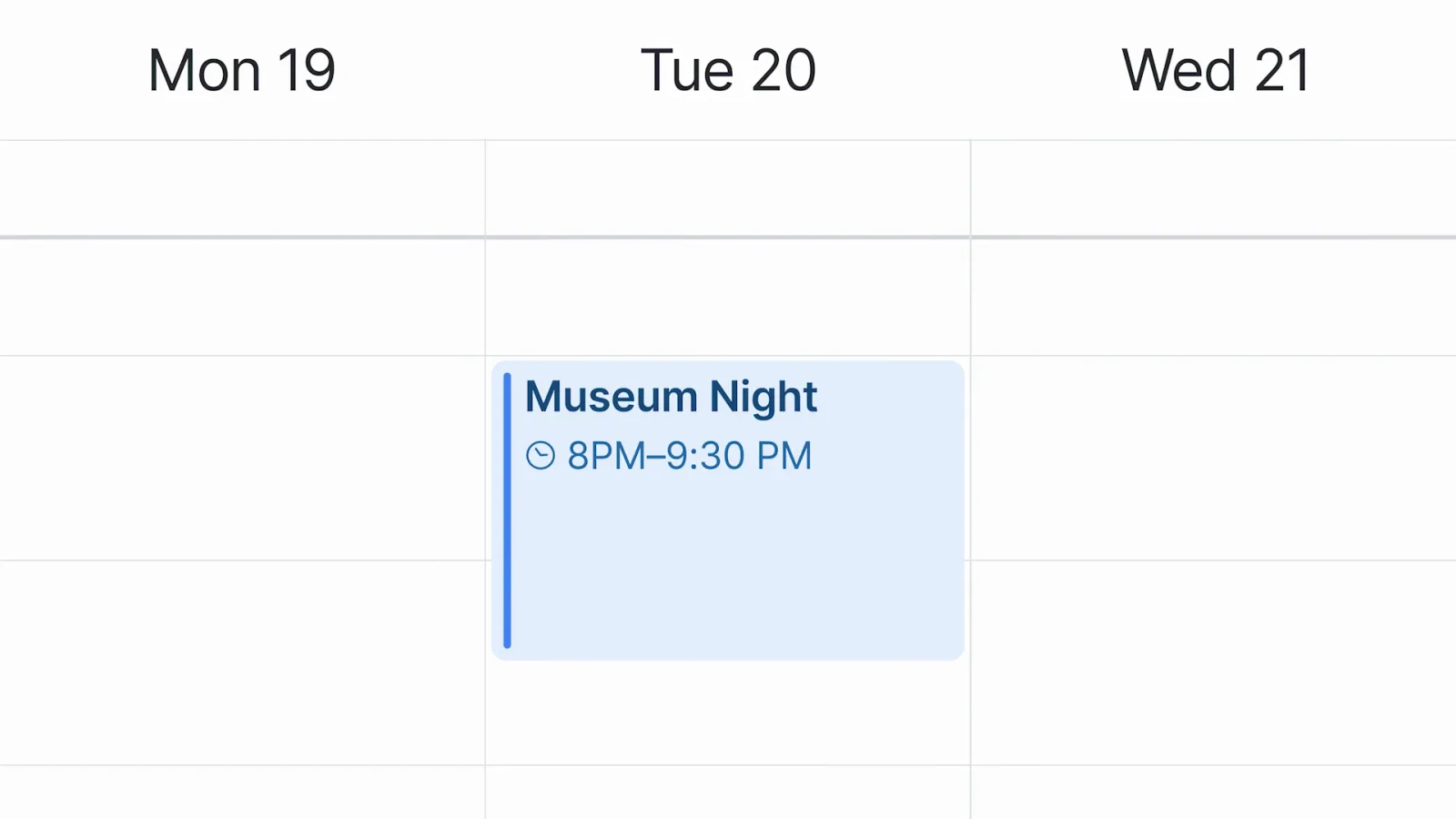
Image: ChatGPT (OpenAI), announcement video on X, 27 October 2026.
Suppose you are an independent consultant with an iCloud address. You ask ChatGPT which quote requests from this week are still unanswered and whether you have time for an introductory call on Thursday. It is the same kind of request, only now it involves client data. This is a fictional example.
How do you connect iCloud to ChatGPT with an app-specific password?
How to connect iCloud to ChatGPT
Step 1 of 5: In ChatGPT, open Plugins and choose iCloud Mail or iCloud Calendar.
Schematic illustration based on OpenAI's announcement and Apple's guidance. The real screens may look different.
- Turn on two-factor authentication for your Apple Account. Without it you cannot create an app-specific password (Apple Support).
- On account.apple.com, go to Sign-In and Security, then App-Specific Passwords, and generate a new one. Give it a name you will recognise, such as "ChatGPT".
- In ChatGPT, open Plugins, choose iCloud Mail or iCloud Calendar and enter the password.
- For Mail, use your address ending in @icloud.com, @me.com or @mac.com. For Calendar, use the primary email address of your Apple Account, which may be a different one (MacRumors).
Two points from Apple worth remembering. You can revoke an app-specific password at any time, which signs the app out. And if you change your Apple Account password, all your app-specific passwords are revoked at once (Apple Support). You will then need to reconnect ChatGPT.
What does this mean for your business email?
If your company runs on Microsoft 365 or Google Workspace, this plugin does nothing for you. Gmail and Google Calendar have had their own plugins for some time, and since August you can connect several of those accounts side by side (OpenAI, release notes). The sources do not say whether a custom domain through iCloud+ works. Try it with a test message first.
If you do use iCloud for work, there are three choices to make deliberately:
- What ChatGPT may do on its own. OpenAI sets the general plugin permission to "Allow low-risk actions" by default: ChatGPT uses your data without asking each time, except for sensitive actions such as sending an email (OpenAI, release notes). Check under Settings, Plugins whether that suits you.
- Whose data it is. Your inbox holds names, addresses and appointments of clients. Whether an AI service may search that belongs in your AI policy, not in one employee's private decision. How to fit that on one page is covered in Using AI safely.
- What key you hand out. Apple intends app-specific passwords for apps that use iCloud Mail, Calendar or Contacts. What the plugin may do with it is set in ChatGPT. That is our reading of the sources: the password itself does not limit which actions ChatGPT takes.
If you work in a Business or Enterprise workspace, ask your admin whether the plugin is available there. OpenAI lists all plans, but says nothing about admin settings for this plugin.
Does it work with dots in the UK and EU?
According to 9to5Mac and MacRumors, the new plugins also work with dots, OpenAI's always-on agents (9to5Mac). In Europe that is of little use on a Pro plan: dots for Pro are not available in the European Economic Area, Switzerland or the UK. For Business Premium, OpenAI refers to "supported ChatGPT regions" (OpenAI Help Center).
If you do have access, note one line on the same help page. A dot can review connected information on its own initiative and form memories from it, even when you have not asked. And disconnecting an app does not delete what the dot has already retrieved. More on dots in OpenAI dots: what can you do with them in Europe?
What should you do now?
- Choose the mailbox. Only connect an iCloud account whose contents you know. A personal account that also receives client email is the hardest case.
- Start with the calendar. Reading and scheduling events is less sensitive than searching and sending email, and you will soon see whether it saves time.
- Keep sending behind approval. Let ChatGPT prepare drafts and send them yourself until you know how well it works.
- Keep the password separate. One app-specific password for ChatGPT, with a recognisable name, so you can revoke exactly that connection.
- Write the agreement down. Record in your AI policy which email and calendar connections are allowed and who decides.
When can you ignore this?
If you do not use an iCloud address, or all your work email runs through Microsoft 365 or Google Workspace, nothing changes for you. Curious what Apple itself does with your mail and calendar? Read Siri AI in the EU: what does it do for your business?
Sources
- OpenAI, ChatGPT release notes, "iCloud Mail and Calendar plugins in ChatGPT", 27 October 2026, accessed 28 October 2026.
- ChatGPT (OpenAI), announcement with video on X, 27 October 2026.
- OpenAI Help Center, Connected apps in ChatGPT, accessed 28 October 2026.
- Apple Support, Sign in to apps with your Apple Account using app-specific passwords.
- MacRumors, ChatGPT Can Now Access Your iCloud Mail and Calendar, 27 October 2026.
- 9to5Mac, iCloud Mail and Calendar plugins now work with ChatGPT, 27 October 2026.