In short
- Siri AI is useful for personal work on your own device: email, calendar, messages and whatever is on your screen. It is not built for shared business processes.
- In the EU, Siri AI works only on the Mac (and Apple Vision Pro), with Siri set to a supported language such as English. It is not available on iPhone, iPad or Apple Watch in the EU for now.
- If you want AI in your workflows today, do not wait for it. Treat Siri AI as a personal tool and handle shared work elsewhere.
What does Siri AI offer a business? Mostly time saved on individual work: drafting an email from your calendar, finding something in your messages, getting a second opinion on a text before you send it. Siri AI works with the data on your device and in your apps. That makes it helpful for one employee, and a poor fit for work that passes between several people or systems.
Can you use it in Europe yet? Partly. Apple released Siri AI on 14 September 2026 as a beta in English. In the EU it runs on the Mac and Apple Vision Pro, provided Siri is set to a supported language. On iPhone, iPad and Apple Watch it is not coming to the EU for the time being, and Apple has given no date (Apple, June 2026). For everything else Apple shipped in September, see our overview of Siri AI and Apple's September releases.
What can Siri AI do for your work?
Apple describes Siri AI as an assistant with personal context, onscreen awareness and broad world knowledge (Apple, 14 September 2026). Below is what each feature could mean in a working day. Examples that start with "Suppose" are ours, not Apple's.
Personal context: searching your own email and messages
According to Apple, Siri AI helps you find what you need "across messages, emails, photos, and more". Suppose you want to tell a supplier which afternoons you are free to visit next month. You ask Siri to draft an email listing the free slots in your calendar. Apple shows almost exactly this kind of request on an iPhone; in the EU, for now, you would do it on a Mac.
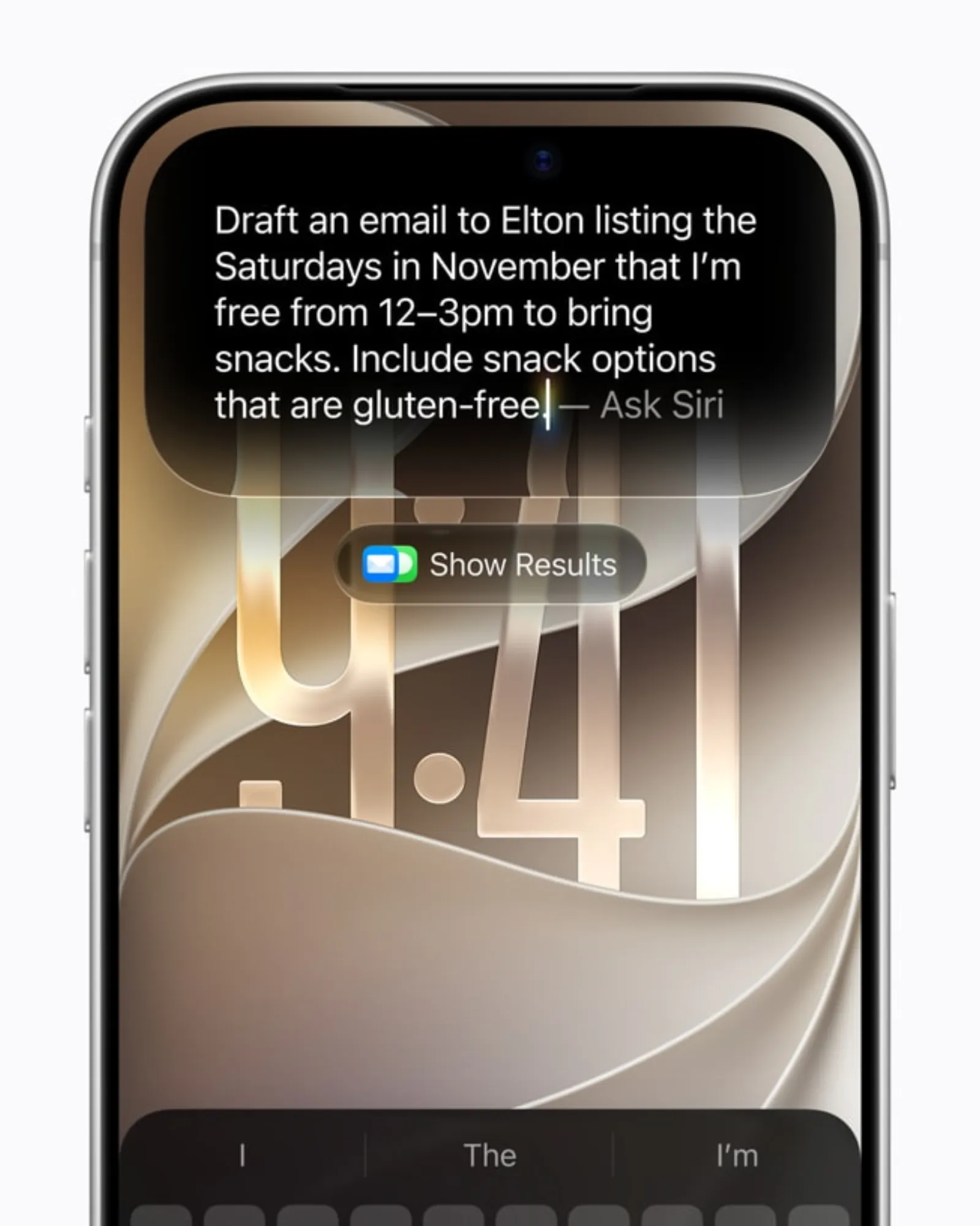
Image: Apple, Siri AI, a profoundly more capable and personal assistant, is here.
Onscreen awareness and Visual Intelligence on the Mac
Siri AI can answer questions about what is on your screen and act on it. On the Mac, a dedicated keyboard shortcut lets you select something on screen and type your question straight to Siri. Suppose you have a supplier's quote open: you select the table of delivery terms and ask which lead times it contains. Whether those terms are acceptable remains your call.
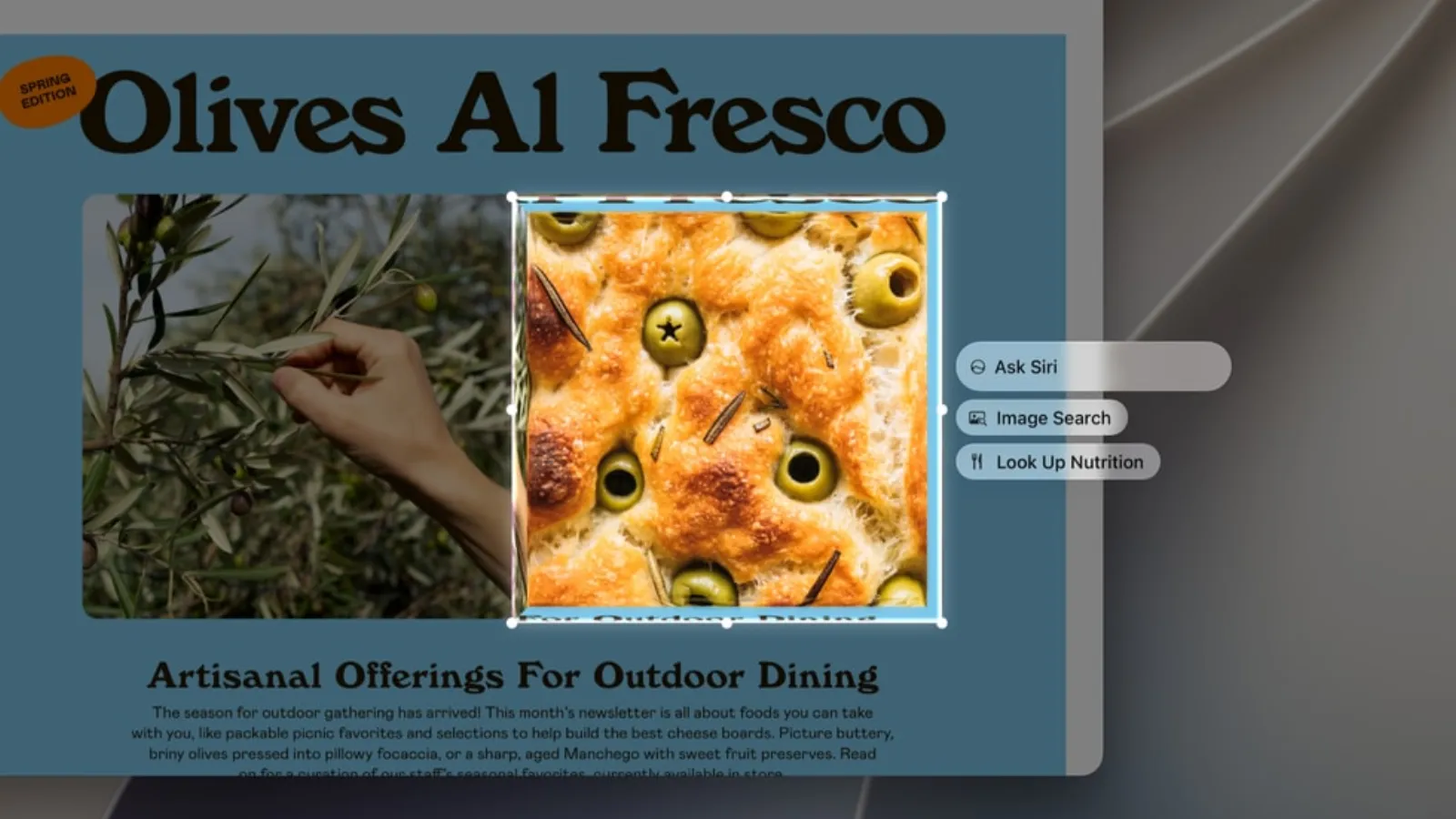
Image: Apple, Major updates for Apple's software platforms are now available.
Write with Siri: drafts and feedback
With Write with Siri you describe what you need and get a draft, or ask Siri to refine what you have written. Apple says this works "virtually anywhere they type", and in Mail and Messages Siri adapts the style to the recipient. Suppose you have a short project update in Notes: you ask Siri for feedback before it goes to the team. Apple demonstrates this on an iPad; in the EU it currently works only on the Mac.
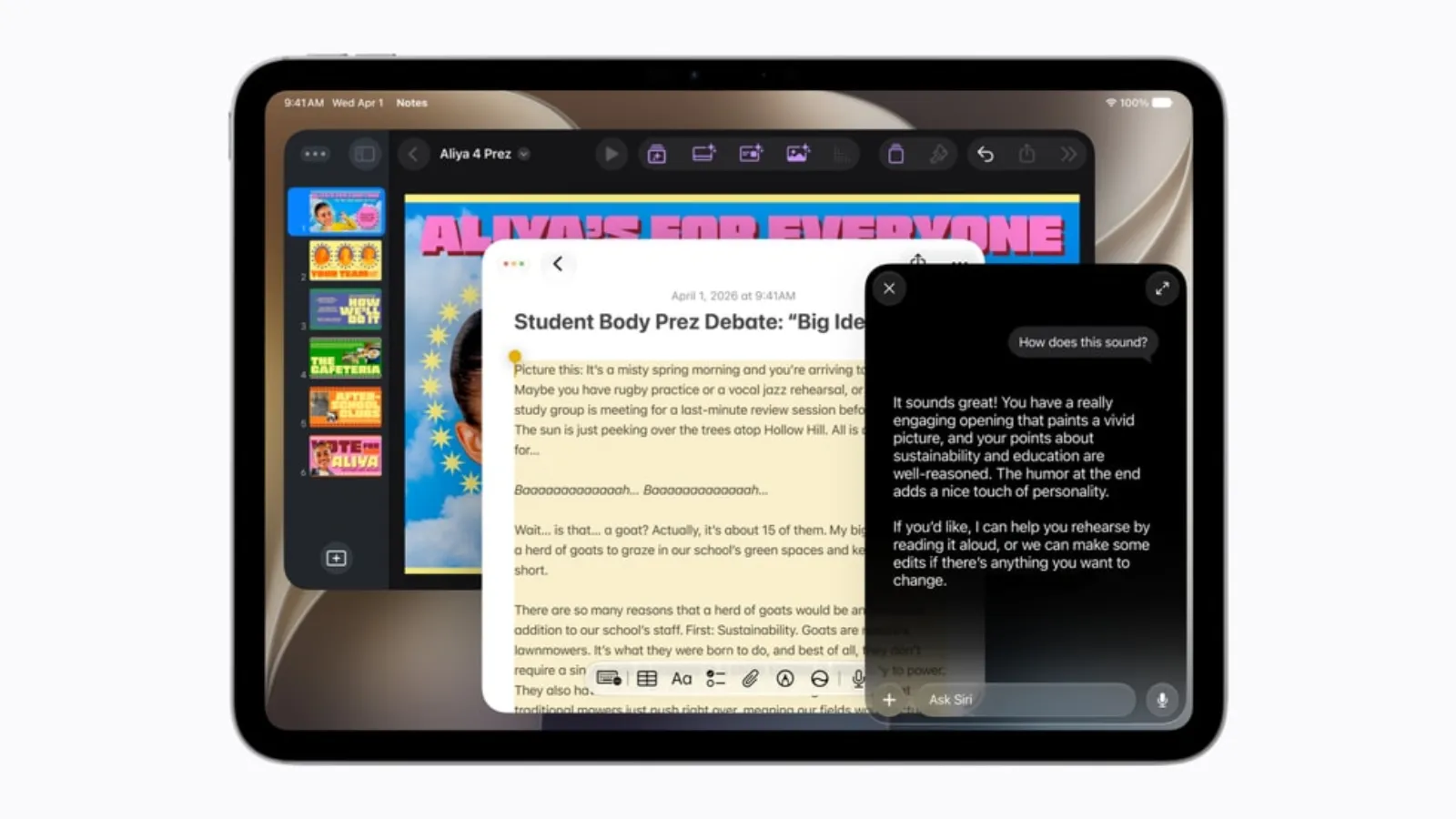
Image: Apple, Major updates for Apple's software platforms are now available.
Describing a shortcut instead of building one
In Shortcuts, Apple says you can now create "complex automations simply by describing what they want". Suppose that every Friday afternoon you open the same three folders and email yourself a weekly summary: you describe that once. It remains an automation on your own device, with no approval step and no hand-over to a colleague.
Call Context and Notify Me in Safari
Call Context surfaces relevant details, such as a confirmation code or reservation number, while you are calling a business. Safari's Notify Me tells you when a product is back in stock or drops in price. Suppose you buy office supplies: you no longer need to keep checking a product page yourself. Apple Support lists "intelligent features for browsing" as available in the EU (Apple Support). Apple does not say this explicitly for Call Context, so test it on your own devices.
Siri AI on the Mac: what the language requirement means
To use Siri AI in the EU you need a Mac with M1 or later (or a MacBook Neo) running macOS 27, with Siri set to a supported language. Apple Support states that, for Apple Intelligence in general, device language and Siri language must match. So expect to switch Siri, and possibly your device language, to one of those languages.
For teams whose working language is not one of them, that has consequences:
- Supported languages are English for now, with French, Japanese, Korean, Portuguese and Spanish arriving in October. Dutch, German and Italian are not on that list, and Apple has given no date for them.
- Apple does not say how well Siri AI handles emails and documents in another language while Siri itself is set to English. Test it with your own work.
- It is a beta. Do not build a fixed way of working on it that breaks when a feature changes.
Apple cites the Digital Markets Act as the reason Siri AI is not coming to iPhone and iPad in the EU. According to the European Commission, that decision is Apple's alone. For planning purposes the outcome is the same: there is no date.
Privacy and governance: what Apple promises and what you decide
According to Apple, Siri AI runs on the device and through Private Cloud Compute, Apple's own cloud processing. Apple states that during that cloud processing, personal data is "not stored nor made accessible to Apple or anyone else". That is a vendor's promise, not an independent audit. Apple also says its models are "custom-built in collaboration with Google and its Gemini models". Include that collaboration in your own assessment of how data is processed.
What an organisation has to decide for itself:
- Which devices. Only eligible Macs, and whether Siri may be set to another language on them.
- Who may do what. Staff whose inboxes contain client files, HR data or financial information carry different risks from a colleague in marketing.
- Sensitive email. Siri AI searches your email and messages. Agree what belongs there and how people handle it.
- Conversation history. The Siri app syncs conversations through iCloud. Check whether that fits your policy for work accounts.
Daily limits and costs: still unclear
Features that run on Apple's servers have daily usage limits. Apple names Siri AI, photo editing tools, Image Playground and the cloud models in Shortcuts, among others. In June, Apple wrote that most iCloud+ plans give increased access. In September, it wrote that expanded access will be available "for a fee in the future". No price has been given. Until it has, do not plan on Siri AI for heavy daily use.
Where Siri AI stops
Siri AI works inside your device and your apps. It is not a shared workspace where a team uses the same instructions and data. Nor is it process automation with checks, where someone approves a result before it is written back or sent. And it does not replace a business AI environment with role-based access.
| Situation | Siri AI suitable? | Better option |
|---|---|---|
| Drafting email on a Mac | Yes, in English | Not needed |
| Finding something in your own email | Yes, on a Mac | Not needed |
| The same on an iPhone in the EU | No | Business AI app |
| Team process with checks | No | Shared AI workplace |
| Client or HR files | Only after your own rules | Role-based environment |
| Heavy daily use | Uncertain, daily limits | Business licence |
When ChatGPT, Claude or Copilot is the better choice
A business AI service such as ChatGPT, Claude or Copilot remains the better option if your team works in a language Siri AI does not support, mostly uses iPhones, or already has a licence with agreed terms. Which of the three fits depends on the task; that is the subject of ChatGPT or Claude? With GPT-6 and Opus 5.5, that is the wrong question.
If AI needs to become part of a process involving several people, shared instructions and role-based access, your own AI workplace is a more logical route than a personal assistant. Siri AI can sit alongside it for individual work on the Mac.
Want to work out where AI genuinely saves time in your processes, and where Siri AI is enough? Book a conversation.
Sources
- Apple, Siri AI, a profoundly more capable and personal assistant, is here, 14 September 2026.
- Apple, Major updates for Apple's software platforms are now available, 14 September 2026.
- Apple, Apple unveils next generation of Apple Intelligence, Siri AI and more, 8 June 2026.
- Apple, Due to DMA, Siri AI delayed in EU for iOS 27 and iPadOS 27, June 2026.
- Apple Support, How to get the next generation of Apple Intelligence, updated 14 September 2026.