In short
- Dots are always-on AI agents from OpenAI, each with its own cloud computer and browser. You give a dot a goal and it works towards it on its own, even when you are offline.
- In Europe you get them through ChatGPT Business Premium or as a beta in Enterprise. Not on a personal Pro plan: OpenAI excludes the EEA, the UK and Switzerland for Pro for now.
- Enterprise customers should note one thing in particular: during the beta, dots are not covered by EU data residency.
At DevDay on 29 September, OpenAI introduced dots: AI agents that do not wait for you to ask, but work on your goals around the clock. For a European business the short version is this. You can use them on ChatGPT Business Premium or Enterprise, not on a personal Pro plan. And before you start, you need to decide what a dot may do without asking. OpenAI leaves that decision to you.
Below: what a dot is, who gets one, what controls it has and how to set up a first trial.
What is a dot?
A dot is an agent: software that takes steps on its own to reach a goal. OpenAI describes dots as "always-on agents built to handle everything". Each dot runs on GPT-6 Astra, OpenAI's most capable model, and has its own computer and browser in the cloud. Through plugins it can, according to OpenAI, connect to more than 4,000 apps (OpenAI, Introducing dots).
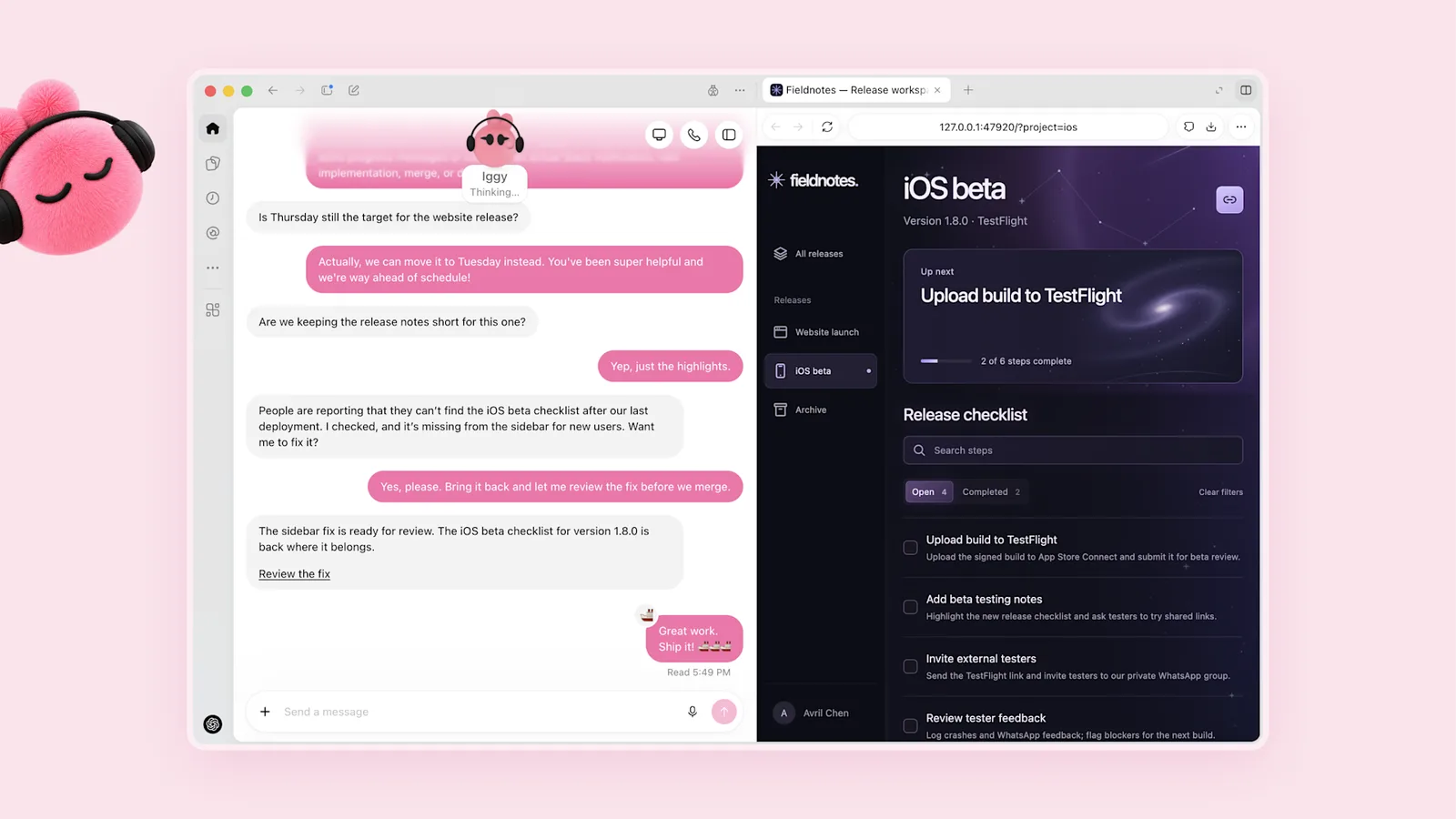
Image: OpenAI, Introducing dots.
What sets a dot apart from a chat is that it keeps going. You talk to it in ChatGPT on desktop, web or mobile, and in Slack and Microsoft Teams. It learns from your feedback and researches what your connected apps show in the background. For that background work it only uses read access, OpenAI says, so it cannot send messages, change content or control your browser or computer.
Some things a dot cannot do at launch. It cannot call you, it has no email address of its own, and texting is a beta for Pro users in the United States (OpenAI Help Center).
Can you use dots in Europe?
That depends on your plan. OpenAI lists per plan (ChatGPT documentation on dots):
- Pro (100, 200 and 500 dollars a month): only outside the European Economic Area, the United Kingdom and Switzerland. A Pro user in the Netherlands, Germany or the UK does not get a dot.
- Business Premium: worldwide.
- Enterprise: worldwide as a beta. Dots are off by default; an administrator has to switch them on.
Standard Business, Plus, Go and Free are not mentioned. OpenAI gives no reason for leaving out Pro in Europe, and no date. There is plenty of speculation about the AI Act online, but none of it comes from OpenAI.
For Enterprise customers, the admin documentation contains one important sentence: during the beta, dots do not support data residency or inference residency. Switching dots on does not make that processing residency-compliant (ChatGPT Enterprise documentation). If your organisation chose EU storage and processing, that choice does not extend to what a dot does. Workspaces with their own key management (EKM) cannot use dots at all.
What does a dot cost?
Your first dot is included in Pro and Business Premium at no extra cost. Conversations with your dot do not count towards your usage limits; tasks the dot starts in Codex or ChatGPT Work do. Usage is more generous in the first month after launch, after which OpenAI will publish terms per plan. The price of additional dots has not been announced.
How much control do you have over a dot?
This is the part that matters for an organisation. With Custom Rules you decide, per type of action, what the dot may do (OpenAI Help Center):
- Act without asking.
- Act if pre-approved.
- Ask first.
- Hand off to you.
OpenAI also builds in its own limits. Actions that affect accounts or share information are reviewed automatically. Sensitive tasks, such as changing a password, always stay with you. Saved passwords are used without the model seeing them. And if OpenAI's monitoring spots a safety concern, it can pause or stop the work.
Enterprise administrators get separate permissions, including for using dots, adding them to Slack and allowing local computer access. What a dot did can be investigated through the Compliance API.
OpenAI is candid about the limits: "Dots can still make mistakes, so always review consequential work." That sentence belongs in every internal policy.
What to settle before a trial
A dot is powerful because it picks its own route. That is also the risk, as we described in Using AI agents safely: five questions to ask first. For dots, those questions become:
- Which apps do you connect? Start with one or two, with the narrowest permissions. Note that disconnecting an app does not delete what the dot already retrieved from it.
- Which actions are set to "ask first"? Anything that touches customers, money or publications. Suppose a dot follows up on quotes: it may prepare a draft, but not send it.
- Who owns it? One person who manages the rules and reviews the results.
- May the dot use your own computer? That is off by default. Keep it that way unless there is a clear reason.
- How do you stop it? You can pause and reset. A reset deletes conversations, memory and scheduled tasks.
When a dot is the wrong choice
If you can write down the steps of a task in advance, a fixed workflow with AI at a few points is usually more predictable than an agent that chooses for itself. A dot fits work where the route differs each time and where you can check the result well.
Two other limits are still unclear. OpenAI is working on "specialist dots" with their own identity and system access inside an organisation, for example in procurement or customer service, and on an integration with Microsoft Agent 365. Both are still pilots or in development. And the price after the first month is unknown. So do not build a critical process on something whose terms you do not know yet.
Where to start
If you have Business Premium or Enterprise, pick one recurring task with a clear owner and set strict rules. After two weeks, look at what the dot did, what you had to correct and which rule can be relaxed. If you would rather learn how agents and workflows work first, the AI workflows and agents workshop is a good place to begin.
Dots were the headline of DevDay, but not the only news. OpenAI DevDay 2026: what it means for your business has the full overview.
Want to work out which tasks in your organisation suit an agent, and which do not? Book a conversation.
Sources
- OpenAI, Introducing dots, 29 September 2026
- OpenAI Help Center, Getting started with your dot, 29 September 2026
- OpenAI, ChatGPT documentation: dots
- OpenAI, ChatGPT Enterprise: cloud and local access
- OpenAI, DevDay 2026 Keynote, YouTube, 29 September 2026