In short
- Since 10 November Anthropic has been rolling out three new artifacts in Claude: Whiteboards and Sheets in beta, and Claude Data, formerly Dashboards, as a generally available product. They work on every paid plan.
- Your team can now build a plan, a tracker or a dashboard together with Claude without switching to another tool first. The catch: Claude Data only works with a connector to your own data, and on Enterprise it switches on by itself on 19 November.
- Our view: strong for exploring and working things out together, not yet a replacement for Excel or a proper dashboard. Agree which figures are the official ones before everyone builds their own.
Claude Sheets, Whiteboards and Data are three new kinds of artifact in Claude: a spreadsheet, a digital whiteboard and dashboards on your own business data. An artifact is a document Claude creates next to the conversation, which your team can then edit together with Claude. Anthropic started the rollout on 10 November 2026, for every paid plan, on web, desktop and mobile (Anthropic).
For teams already using Claude, this means a plan, a budget or a report can stay in Claude instead of being copied into Excel or Miro. Whether that is wise depends on what you use it for. For exploring and working things out together, it is a clear step forward. For the figures your organisation runs on, you need a few agreements first.
What did Anthropic announce?
Anthropic shared the news on X with a short video:
"Starting to roll out today: Claude Whiteboards, Claude Sheets and Claude Data. Think a plan through on a board, build a tracker in a sheet, and tell a story with your data."
Claude, announcement with video on X, 10 November 2026
Here is each part, according to Anthropic's announcement:
- Claude Whiteboards is a shared board. You talk Claude through a messy plan and it turns it into, for example, a timeline with owners and dates. In a retrospective, colleagues add their notes to the board, and Claude groups them by theme and drafts action items for each person. A board can then become a document or a deck, or move to Lucid, Miro or Vani by Zoho.
- Claude Sheets builds spreadsheets with tabs, formulas, formatting and drop-downs, often from a single request such as "make a campaign tracker". Claude edits cells and highlights every change it makes, so you can see what moved.
- Claude Data connects to sources such as BigQuery, Snowflake, Salesforce or another CRM and turns them into dashboards, data stories and short narrated videos. What is new compared with Dashboards, which arrived in beta on 8 October (Anthropic): your data team can certify the metric definitions everyone should use, and live sharing lets colleagues see current figures without access to the connector themselves. Both of those are still in beta.
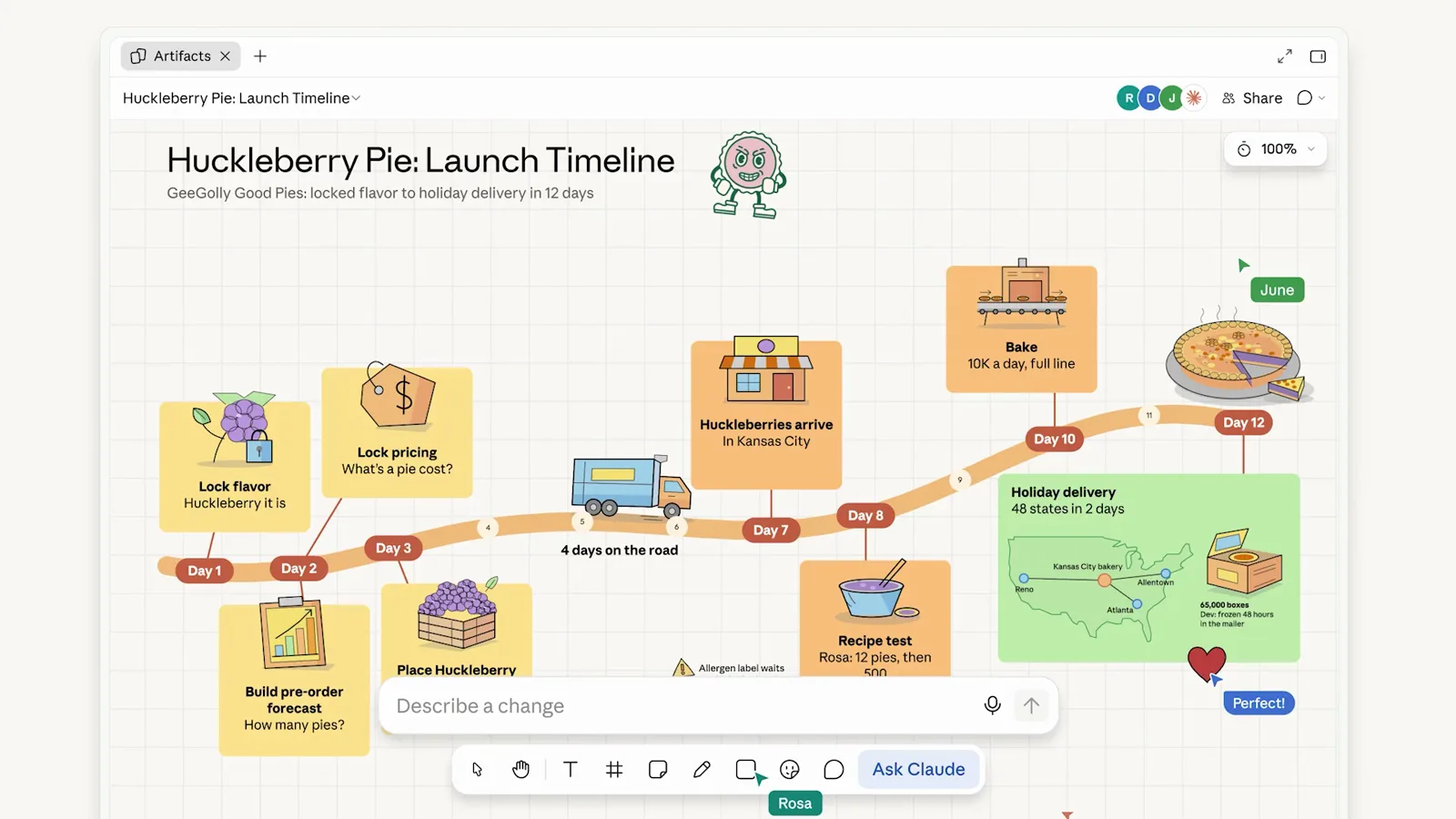
Image: Claude (Anthropic), announcement video on X, 10 November 2026.
At the same time, partners including Adobe, Atlassian and Box can now open their full app inside Claude, next to the conversation. Claude Meetings, which takes notes in a call and updates documents as you talk, is coming later according to Anthropic (Anthropic).
What does it mean for your business?
The gain is less switching. Today, when you think a plan through with Claude, you copy the result into a spreadsheet or whiteboard and lose the context. Anthropic says an idea can now move from a whiteboard to a spreadsheet to a dashboard without you explaining everything again. By role, it looks like this:
| Role | Where it helps |
|---|---|
| Owner or director | A budget with scenarios, a plan you work out with the leadership team on a board |
| Operations manager | A retrospective that ends with actions per person, a project tracker |
| Marketing manager | A campaign tracker, a dashboard on CRM data for the weekly meeting |
| Data and IT | One set of definitions for everyone, dashboards shared without giving everyone access to the source |
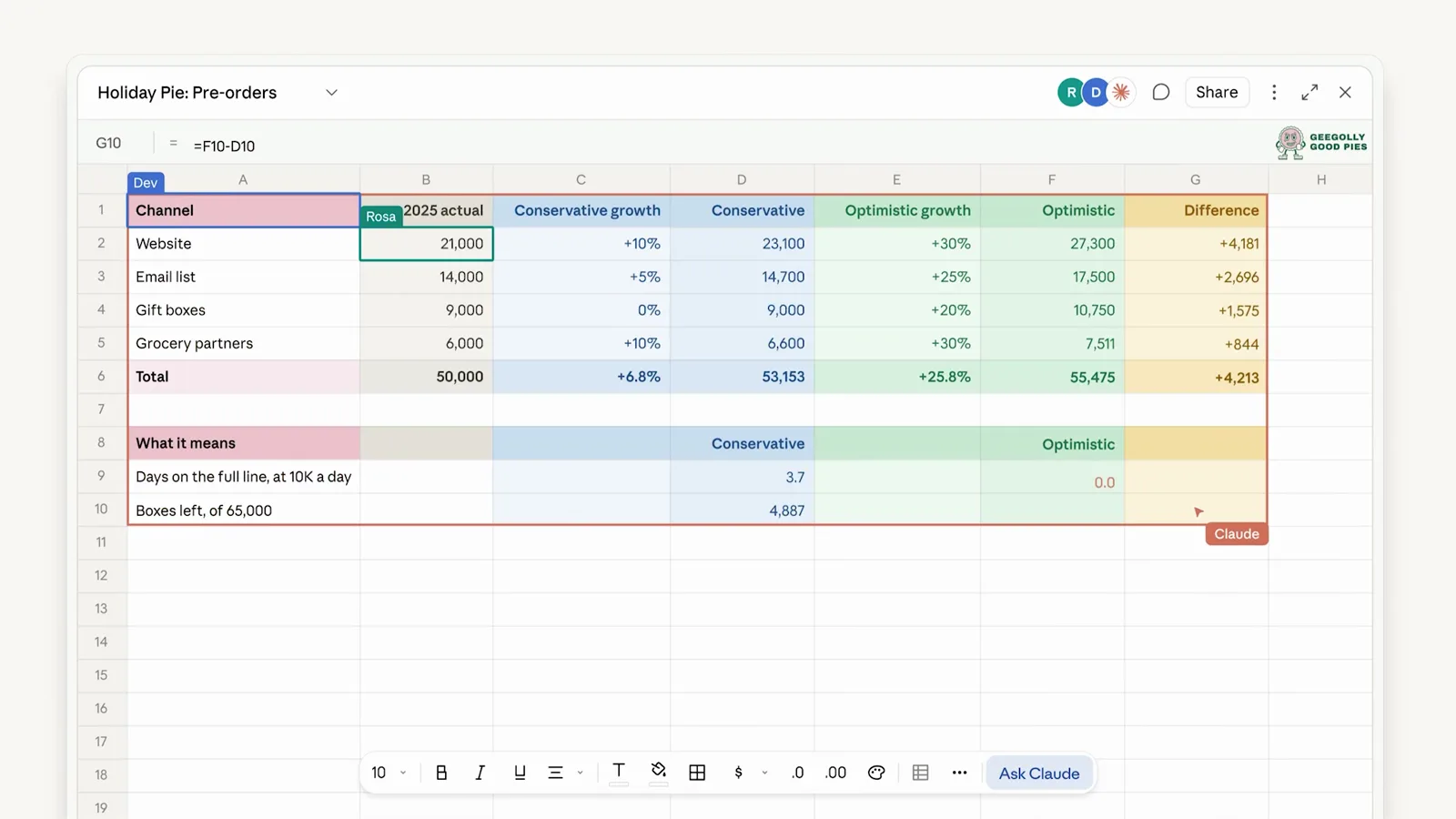
Image: Claude (Anthropic), announcement video on X, 10 November 2026.
Suppose your marketing team pulls last week's leads from the CRM every Monday, pastes them into Excel and builds a chart. In this hypothetical example, you ask Claude Data for that dashboard once, it refreshes itself, and your team asks questions about it in the meeting. That removes the manual work. Whether the figures are right still depends on how your organisation defines a lead.
Note the limits Anthropic itself mentions. Sheets is a simple spreadsheet for now. For the full feature set you export to .xlsx or CSV, or use Claude for Excel. Claude Data only works with a connector to a data warehouse or CRM. Without one, you are back to uploading files.
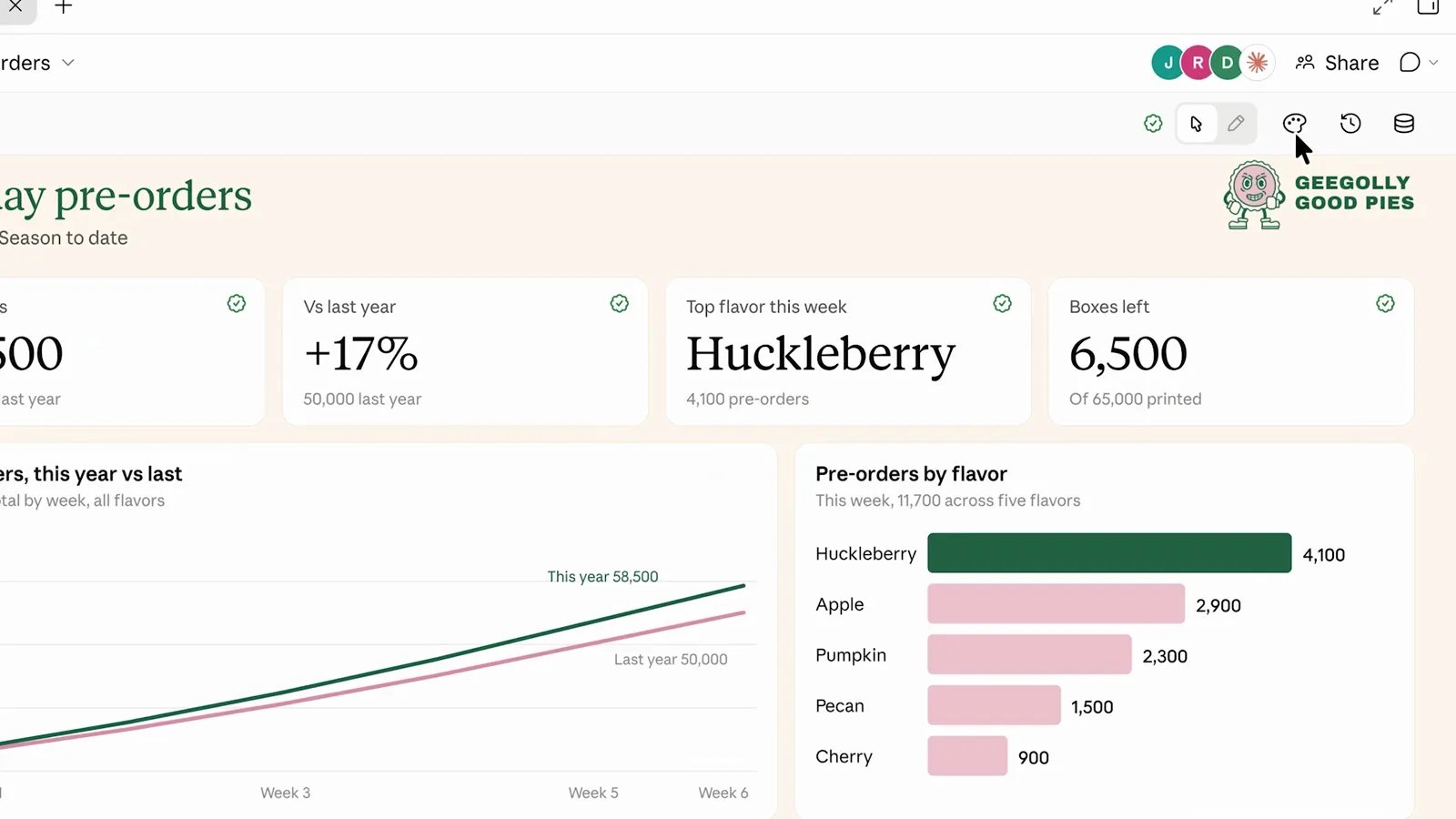
Image: Claude (Anthropic), announcement video on X, 10 November 2026.
Our view: strong for exploring, not yet a replacement
What follows is our interpretation, not a test of the product. The new artifacts solve a real problem: work that starts in Claude no longer has to leave it. Claude highlighting each change in a spreadsheet and Claude Data keeping a version history are exactly what you need to check AI-made work. And letting a data team certify definitions shows that Anthropic understands the biggest risk.
That risk is one more place for the same figures. Most organisations already have Excel files, a BI tool and CRM reports that do not always agree. If everyone now builds their own dashboards in Claude as well, you get a fourth version of the truth. Certification only helps if someone sets those definitions and keeps them up to date.
The second point is who can see it. What lives in Claude works best for people with a Claude account. Live sharing does show colleagues the results, but it remains a dashboard inside Claude, not in the place where the rest of your organisation works.
So we see Claude Data mainly as a quick way to ask questions of your data and build a first dashboard. For figures that twenty people steer by every day, a proper data model is the work that counts. At Coinage, most of the work went into extracting and preparing the data and into the data models, not into the dashboards themselves. That does not change when an AI draws the dashboard. How we build that foundation is explained on the AI dashboard page.
What should you sort out before 19 November?
The default setting differs per plan (Anthropic):
- Claude Team: Whiteboards, Sheets and Data are on straight away.
- Claude Enterprise: Whiteboards and Sheets are off. Claude Data switches on by itself on 19 November 2026.
- You change this under Organization settings > Artifacts.
If you use Claude at work, sort out the following:
- Decide whether Claude Data may switch on, and for whom. On Enterprise, before 19 November.
- Decide which connectors Claude may use. A dashboard only sees what the connector allows.
- Record which figures are official and who certifies the definitions.
- Agree where budgets and trackers live: in Claude, in Excel or in your own system.
- Start with one team and one recurring report, and check after a month whether people use it.
When can you ignore this?
If you only use Claude personally, on a Pro plan and without connectors to business data, you can simply try Sheets and Whiteboards for your own work. If you use Copilot or ChatGPT rather than Claude, nothing changes for you. It does show where the providers are heading: AI assistants are becoming the place where the work itself happens, not just where you ask a question. For an overview of Claude and its plans, see What is Claude?
Sources
- Anthropic, Introducing Claude Whiteboards, Claude Sheets, and Claude Data, 10 November 2026
- Anthropic, More ways to work with Claude: Sheets, Whiteboards, and Interactive Connectors, 10 November 2026
- Anthropic, Build live dashboards and animate explainers with Claude, 8 October 2026
- Claude (Anthropic), announcement with video on X, 10 November 2026