On 8 October Google announced the Gemini agent: one AI agent for work that you give a task rather than a question, inside Gmail, Docs, Sheets and the rest of Google Workspace. What is new is that such an agent can get its own account, with an email address, a calendar and a place in your company directory. That turns an agent into something you manage like a colleague: with permissions, a budget and a log. For now only selected customers can use it, so you have time to agree the ground rules before it is switched on for you.
The details were checked on 11 October 2026. Google has not announced a date or full pricing yet, so see the sources at the bottom for the current state.
What is the Gemini agent?
Google Cloud CEO Thomas Kurian calls it "a single, universal agent for work": an agent that answers questions, handles knowledge work, creates images and media, and writes and runs code. The promise fits in one sentence: "You give it objectives, not instructions." You hand over an outcome and come back to finished work (Google Cloud).
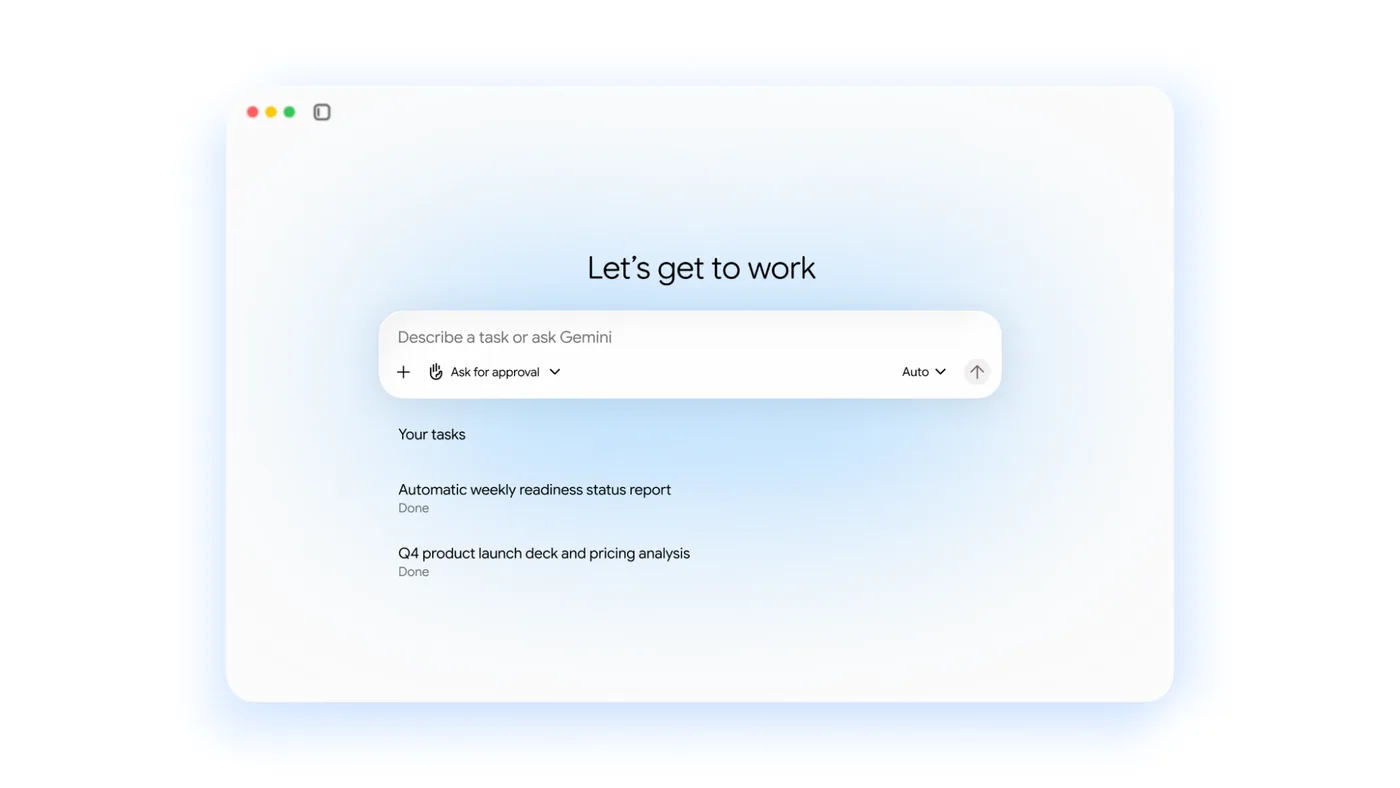
Image: Google Cloud, Welcome to Gemini at Work 2026: Introducing the Gemini agent.
According to Google the agent works on the web, on iOS and Android, on Windows and Mac, and in Slack, Microsoft 365 and the command line. In Workspace it sits in Gmail, Drive, Docs, Slides, Sheets, Chat and Calendar, with the same memory, skills and controls everywhere (Google Cloud). Skills are reusable instructions for a task you do often. More on those in Gemini Gems are becoming skills: what do you need to do?
What is a coworker agent?
This is the part that changes the most. According to Google, a coworker agent gets "its own Workspace account, including an email address, calendar, Drive, and presence in your company directory". It acts under its own identity rather than yours, and sees only what you or your colleagues share with it (Google Cloud).
Say a marketing team has a coworker agent produce the monthly campaign report. The agent gets read access to the folder with the figures, drafts the report in Docs and emails it to the marketing manager, who checks it and sends it on. The log shows that the agent did it, not an employee. This is a fictional example, not a measurement.
Google pairs this with a set of controls (Google Cloud):
- Its own identity and least privilege. Each agent gets role-based permissions, approved by your organisation's security administrators.
- A log in the agent's name. Every action goes into an audit trail, attributed to the agent and not to a person.
- A sandboxed environment. Agents run in a sandbox, and all traffic passes through a gateway that enforces your policies. Google's example is that agents may not open documents labelled "Need to Know".
- A hard budget limit. In the Cloud Billing Console you set a cap on a project's AI spend. When it is reached, the agent pauses.
Which AI model runs underneath?
Google writes: "Gemini is the agent, and the model underneath it is a separate choice." The agent picks a model for each job, from Google's own Gemini family and, already today, from Anthropic's Claude models (Google Cloud). According to the release notes, models from other providers are billed by usage and count towards the project's spend cap. They run in the global, US and EU locations, but not in in-country regions (Google Cloud).
For a European organisation, that is the point to check: which region does your project run in, and what does your data processing agreement say about models from another supplier?
When can you use it, and what does it cost?
Not yet, unless you are in the first group. The Gemini agent is in private preview for selected customers. VentureBeat reports that it will "soon" be widely available to Workspace customers on certain Business and Enterprise plans, without a date (VentureBeat). Tailored versions for financial services and legal are already in preview (Google Cloud).
Little is known about pricing. Google told VentureBeat the agent will be included at no additional charge where Gemini Enterprise is available, including through existing Workspace subscriptions. Google did not say whether coworker agents with their own account will need a licence of their own. Models from other providers are billed by usage either way. Compare that with Microsoft, which recently started billing agentic work in Copilot Credits: see What will Microsoft Copilot cost now that agents are billed by usage?
What should you arrange before giving an agent an account?
An agent with its own email address is a new kind of employee in your directory. So make the same arrangements as for a new colleague, plus a few more:
- An owner. Every agent has a person who is accountable for what it does and who switches it off when needed.
- Permissions. Which folders, mailboxes and systems may the agent see? Start with as little as possible and expand once it works.
- What it may do on its own. May the agent send email outside the company, or only prepare drafts? The "Ask for approval" button on the start screen shows Google expects that choice. Five questions to ask beforehand are in Using AI agents safely.
- A budget. Set the spend cap before the first agent runs, not after.
- A log someone reads. An audit trail only helps if someone looks at it regularly.
Put this in your AI policy. How that fits on one page is in Using AI safely: how to write an AI policy for your team.
When can you ignore this?
If your organisation does not use Google Workspace, nothing changes for you. If it does but you are not in the preview, there is nothing to switch on yet. Use the time until the wider rollout to make the arrangements above. Unsure whether to go with Google, Microsoft or someone else? Read ChatGPT, Claude or Copilot for your team: how to choose.
Want to know how agents fit into your work, and what to arrange first? Book a conversation.
Sources
- Google Cloud, Thomas Kurian, Welcome to Gemini at Work 2026: Introducing the Gemini agent, 8 October 2026.
- Google Cloud, Gemini Enterprise release notes, accessed 11 October 2026.
- VentureBeat, Google Cloud unveils persistent Gemini Agents for long-running tasks, and they get their own Gmail, Calendar, and Drive storage, 8 October 2026.