Google is replacing Gemini Gems with skills: reusable instructions for a task you do often. Skills have been in the Gemini app since 13 October. The Google Workspace rollout was due to start on 5 October, but Google says it is delayed, with no new date. For business accounts, Gems stop no sooner than 1 March 2027. Whatever is left then becomes a draft skill that its creator has to activate. If your team uses Gems, make a list now so March does not catch you out.
The details were checked on 11 October 2026 and updated on 27 October, after Google reported the Workspace delay. Google describes the business dates as "no sooner than", so they may still move. See the sources at the bottom for the current state.
What are skills, and how do they differ from Gems?
According to Google, a skill is a reusable set of instructions, knowledge or workflows that teaches an agent how to carry out a multi-step task. Gemini comes with a library of standard skills. Teams and departments can build their own and publish them to a company-wide registry, and you can also create personal skills (Google Cloud).
At heart that is what a Gem was too: fixed instructions with their own knowledge files. What is new is that teams can share a skill through a company-wide registry, and that skills are the building blocks of Google's new agent.
Think of a "review quote" skill: check the amounts against the price list, check the delivery terms and put the comments in a fixed table. Whoever uses the skill no longer has to type those instructions. This is a fictional example.
You call a skill by typing a forward slash in your request, followed by the skill's name (Google). In Google's demonstration, Gemini suggests the matching skill while you type.
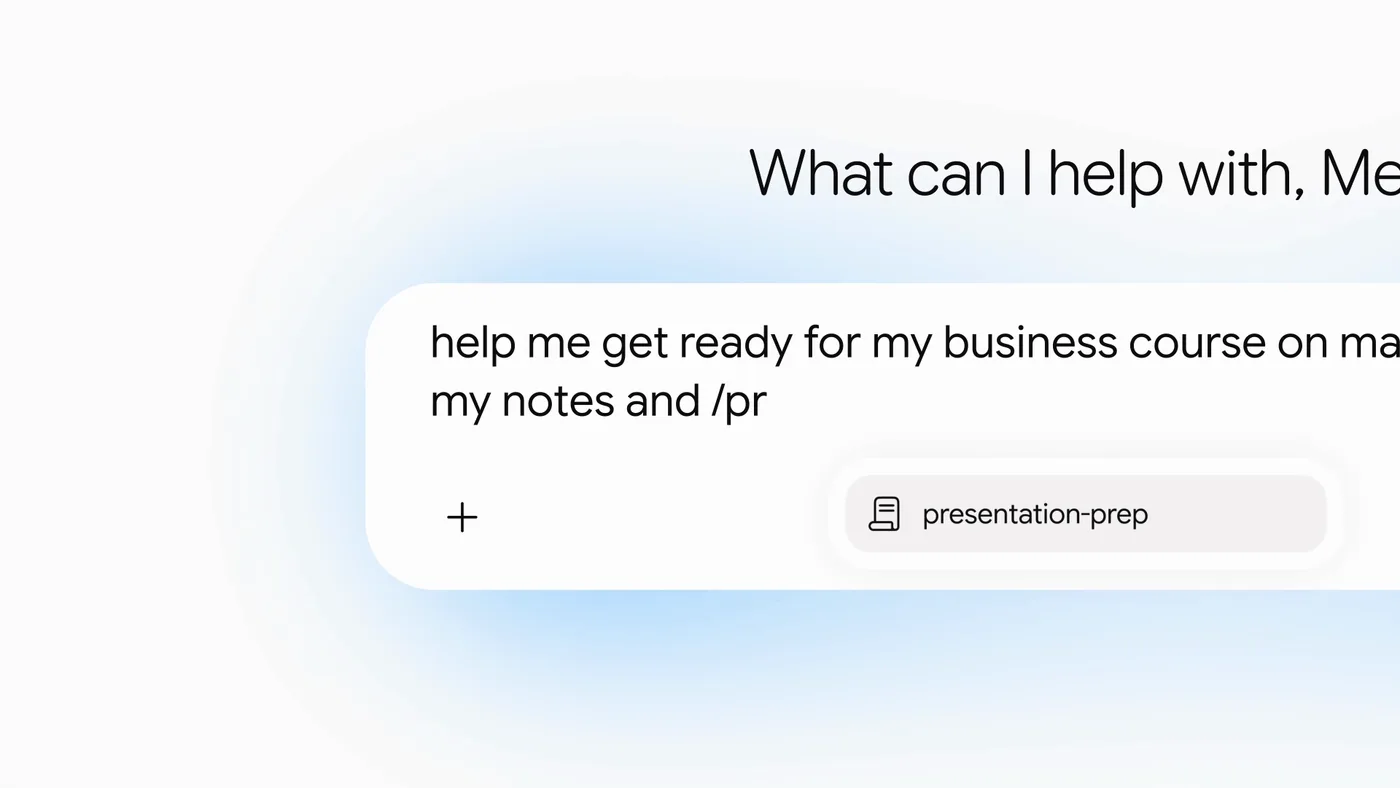
Image: Google, Let skills in Gemini tackle your most repetitive tasks. According to Google, the screens in this demonstration are simulated.
Skills are also the building blocks of the new Gemini agent that Google announced on 8 October. More on that in Gemini agent: Google's AI colleague with its own email address.
What changes when?
| When | What | For whom |
|---|---|---|
| Planned from 5 October 2026, delayed | Skills in Workspace, first for Rapid Release domains. On 13 October Google said the launch in Workspace Studio and the Workspace apps is delayed, with no new date | Business accounts |
| From 13 October 2026 | Skills in the Gemini app, complete around mid-November | Everyone |
| Planned from 19 October 2026, delayed | Skills in Workspace for Scheduled Release domains | Business accounts |
| 17 November 2026 | Gems move to Settings and stay usable (Workspace Updates), or become read-only (Gemini Apps Help) | Gemini app |
| 17 December 2026 | Gems are removed, according to Gemini Apps Help | Personal accounts |
| No sooner than 1 March 2027 | Gems can no longer be created, edited or used | Workspace Business, Enterprise and non-profit |
| No sooner than 1 June 2027 | Gems go away | Workspace for Education |
Sources: Google Workspace Updates and Gemini Apps Help.
Rapid Release and Scheduled Release are the two release tracks your Workspace admin chooses. If you do not know which one you are on, ask: it decides whether you can see skills yet.
What happens to your existing Gemini Gems?
Gems that still exist on the cut-off date are automatically converted into draft skills. They keep their name, description, instructions and uploaded knowledge files, but they arrive as drafts: the creator has to activate them before they work (Gemini Apps Help).
Three things need attention:
- Skills do not sync between the Gemini app and Workspace. If you use a Gem both in the Gemini app and in Gmail or Docs, you have to recreate it as a skill in Workspace Studio (Gemini Apps Help).
- Automations with "Ask a Gem" will stop. In Workspace Studio, flows with the "Ask a Gem" step stop working from March 2027. Replace that step with "Ask Gemini" before then (Workspace Studio Help).
- A draft does nothing. If the creator of a widely used Gem has left, nobody activates the draft. Assign a new owner for such Gems now.
What should your team do now?
- Take stock. Ask the team which Gems they use, who made them and whether they are shared.
- Clean up. A Gem nobody uses does not need to come along.
- Choose an owner for each Gem you keep. They convert it into a skill, test it and maintain it.
- Check your automations. If "Ask a Gem" appears in a flow anywhere, plan the replacement.
- Keep shared skills in one place. A skill the whole team relies on belongs in the shared registry, not with one employee.
That last point goes beyond Gemini. Instructions your team relies on are company knowledge. Record where they live and who maintains them, just as in your AI policy. If your team also works with Claude, read Claude skills: write them once, use them in every AI tool.
When can you ignore this?
If nobody in your organisation uses Gems, the only change for you is that skills arrive. If you only use Gemini privately, 17 November is the date to watch. According to Workspace Updates your Gems then move to Settings and stay usable. According to Gemini Apps Help they become read-only and are removed on 17 December. Google contradicts itself here, so convert your Gems to skills before 17 November.
Sources
- Google Workspace Updates, Introducing skills in the Gemini app and Workspace, plus what's next for Gems, September 2026.
- Gemini Apps Help, About the transition from Gems to skills, accessed 27 October 2026.
- Google Workspace Admin Help, About the transition from Gems to skills, accessed 11 October 2026.
- Workspace Studio Help, How Gems transition to skills impacts Workspace Studio flows, accessed 11 October 2026.
- Google Cloud, Thomas Kurian, Welcome to Gemini at Work 2026: Introducing the Gemini agent, 8 October 2026.
- Google, Let skills in Gemini tackle your most repetitive tasks, 30 September 2026.