Learning a new language can be a challenge, for teachers and students alike. How do you make language exercises not only effective but engaging and interactive? AI tools such as Claude offer a good answer. Where tools like ChatGPT are often used for generating text, Claude goes a step further: it can create interactive tools and exercises, known as "artifacts", that you can use directly in the classroom.
Claude prompt: "Create a simulation game for year 8 students studying English. They need to practise the Past Simple, Past Continuous and Present Perfect. Write 15 sentences where they have to fill in the correct verb form. Give immediate feedback on whether the answer is right or wrong, and show the correct solution when they make a mistake."
How does it work?
Say you teach English and you want students to practise the past simple and the present simple. With Claude you can build an artifact in a few steps: a personalised interactive exercise. Ask the tool to generate five sentences that students have to classify as past simple or present simple. Claude can then program a small test in which students get live feedback: "Correct" or "Try again".
That feedback loop makes learning dynamic and engaging. And there is more: as a teacher you can point out mistakes in the exercise through the chat. Claude then produces an improved version of the artifact straight away. After a few iterations it fits your needs exactly.

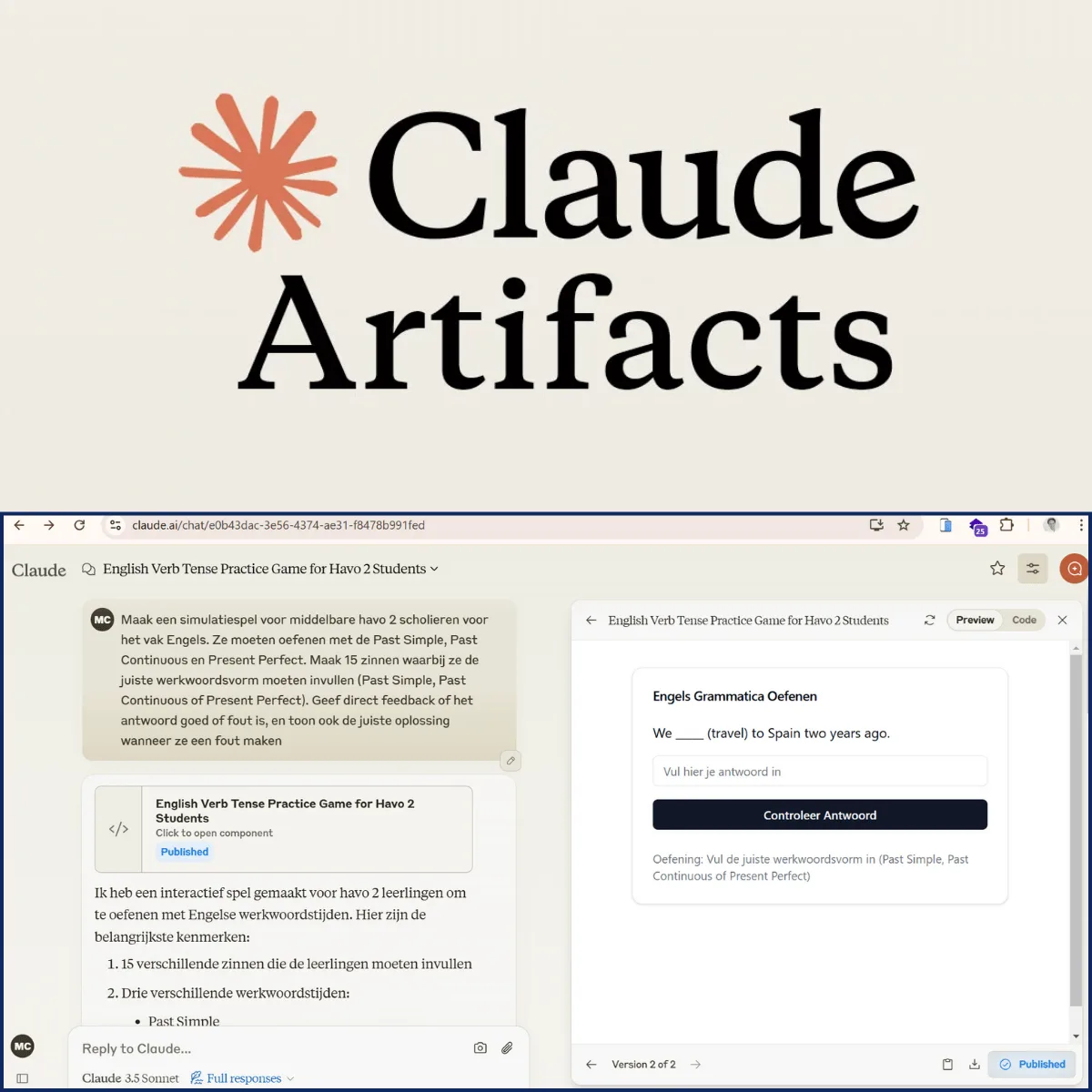
Claude prompt: "Create a simulation game for year 8 students studying Spanish. They need to practise conjugating regular verbs. Write 15 sentences where they have to fill in the correct form of verbs ending in -er, -ar and -ir. Give immediate feedback on whether the answer is right or wrong, and show the correct solution when they make a mistake."
Extra advantages for teachers
Another strong point is that you can publish the exercise. One click makes the artifact available through a unique link. Students can do the exercise at home while you monitor the results and any feedback. That makes lessons more efficient and lets students practise independently, without constant supervision.
A practical example
Take an interactive exercise in which students are asked to correct a sentence:
Example sentence: "She go to the park yesterday." Correction: "She went to the park yesterday."
The tool can offer alternatives, flag incorrect answers and explain why a particular answer is right or wrong. Because of how Claude works, you can iterate and refine the artifact until it fits your lesson goals exactly.
Learning in the 21st century
With tools like Claude you turn your teaching material into a digital, interactive experience. Whether it is automating grammar exercises, vocabulary tests or even simulating conversations, AI offers endless ways to improve how people learn.
Want to take your lessons further? Start today with AI tools like Claude and see how straightforward it is to create personalised, interactive learning material.