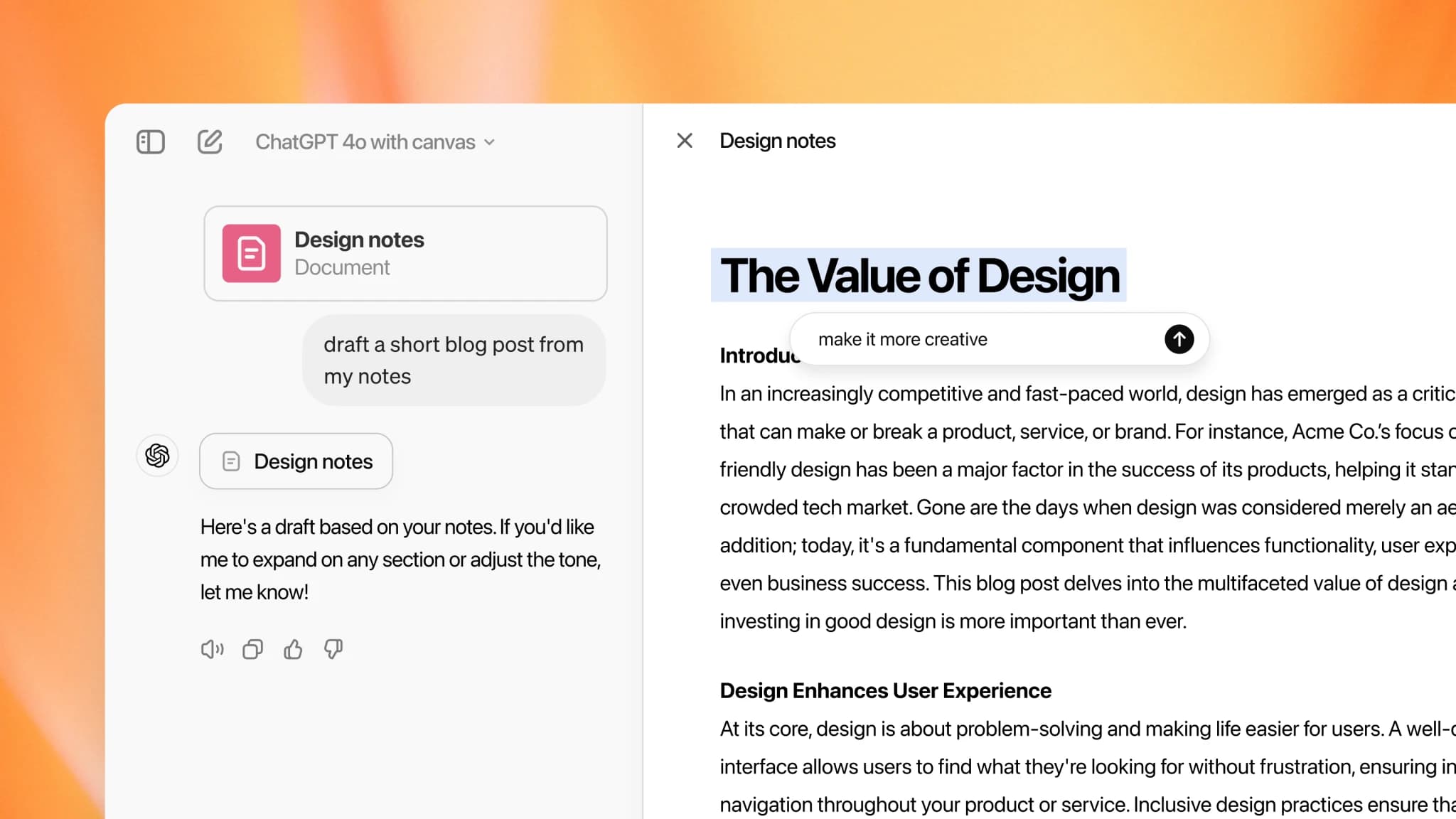
Writing can be an intensive process, especially when you are constantly adjusting, improving or rephrasing text. Fortunately there is a feature in ChatGPT that makes it a great deal easier: Canvas. This new way of working makes writing, editing and refining text noticeably simpler.
What is Canvas?
Canvas in ChatGPT means you are no longer limited to working on your text through a chat. Instead you can select passages and edit them directly. No more endless back and forth to get a paragraph exactly right, but direct control over your text. That makes editing existing work not only faster but also clearer.
Canvas lets you select and edit text, and apply specific suggestions such as rewriting, expanding or shortening. That makes it a flexible and powerful tool for anyone who works with text a lot.
With Canvas you can highlight passages and have specific edits applied, such as rewriting, expanding or trimming. Writing and editing becomes not only faster but a lot more efficient.
How does it work?
With Canvas you highlight a passage and have ChatGPT apply a specific edit. Think of a text that runs slightly too long and needs trimming, or a short paragraph that could use more explanation. Handy buttons let you say what you want done with a passage: make it longer, make it shorter, rewrite it, or give it a more formal tone. You keep control while saving time and effort.
Imagine you are writing about a complex subject. You might want to simplify some parts so they are easier for a broad audience. With Canvas you simply select the paragraph that needs simplifying, click the edit you want, and ChatGPT does the work. You can also view several suggestions at once and pick the best, which gives you more control and precision.
Easier and more efficient
The real strength of Canvas is that it gives you a clear working environment where you can make and see changes immediately. No more switching between tabs or retyping whole sentences. Everything happens in one screen, and you can see exactly which changes have been suggested and accept or reject them with one click. You can also edit a text in several passes, for instance rewriting first and expanding afterwards.
For anyone who works with text a lot, such as copywriters, marketers or students, this can be a real game changer. It helps you reach the right phrasing faster, without getting stuck switching back and forth or second-guessing the best wording.
Why is this useful in your work?
Canvas makes writing and editing not just more efficient but a lot less stressful. Whether you are working on a business email, a piece of marketing copy or a school assignment, you can make quick adjustments that give your text that bit extra. You keep control over the content while ChatGPT supports you where needed.
You can also compare several versions of a text before making the final call. That gives you the flexibility to choose the best version without worrying about losing earlier edits.
Try it yourself
Curious about what Canvas can do for you? Try it and see how much faster and easier writing and editing becomes. Want to know more about how AI tools can improve your writing process? Get in touch and find out.