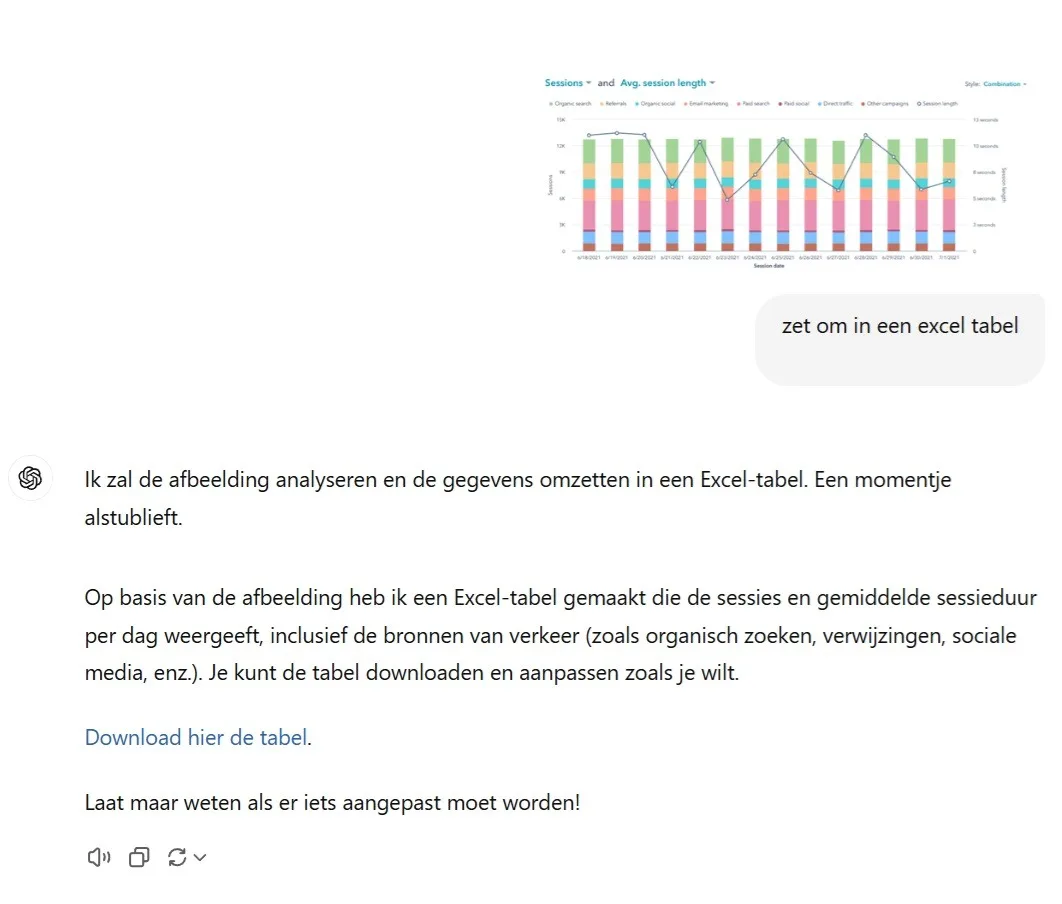
Picture this: you have a screenshot of a detailed table you want to use. Instead of retyping everything by hand, you can have ChatGPT pull the information straight out of it. In a few clicks that image becomes a workable table you can paste into Excel.
"From picture to spreadsheet in a few clicks — that is working smart."
Step 1: upload your image. Click, drag, and your image with the table is ready in ChatGPT. Whether it is a photo, a screenshot or a scan, the sharper the image the better.
Step 2: give the instruction. Tell ChatGPT what you want. Simply ask: "Could you convert this table into text?" ChatGPT reads the table and lays the data out for you.
Step 3: copy and paste. ChatGPT hands you a clean overview that you can paste straight into Excel, so you are working with your data in no time.
Why is this useful?
With this "digital eye" you can extract data from images easily. Ideal for anyone who wants to process data quickly and get productive without hours of retyping. Whether you are working with financial tables, research data or your own overviews, it takes the tedious part out of your hands.