In short
- With plugin extensions, other companies' software runs properly inside ChatGPT: Canva in the sidebar, Adobe Photoshop as an editor for your files, Figma files you can mention in your prompt.
- With Sign in with ChatGPT, people log in to other apps with their ChatGPT account, and Plus and Pro users can spend their ChatGPT plan on AI requests there.
- For most businesses the question right now is not "should we build a plugin?" but "which plugins do we let our people use, and with what permissions?".
ChatGPT used to be where you asked a question and then carried the answer back to your own software. At DevDay on 29 September, OpenAI showed that this is being turned around: the software comes to ChatGPT. Sam Altman, as quoted by CNBC: "With plugin extensions, you can build an editor, a dashboard, a whole workspace directly into ChatGPT and Codex."
For a business that raises two questions. As a user: which apps do you allow into your employees' ChatGPT? As a software provider: should your customers soon be able to use your product in ChatGPT? The first question needs an answer now. For most businesses, the second can wait a little.
What are plugin extensions?
Plugins already existed: connections that let ChatGPT fetch data from another app or act in it. What is new is that a plugin now gets its own place in the interface. OpenAI lists, among others, sidebar apps, panels next to the conversation, plugin settings, file viewers and editors, and forms for structured input (OpenAI, Plugin extensions).
OpenAI's own examples:
- Canva as a sidebar tab where you create and preview designs.
- Figma: in the desktop app you search for and mention Figma files directly in your prompt.
- Adobe: you edit files with Acrobat and Photoshop without leaving ChatGPT.
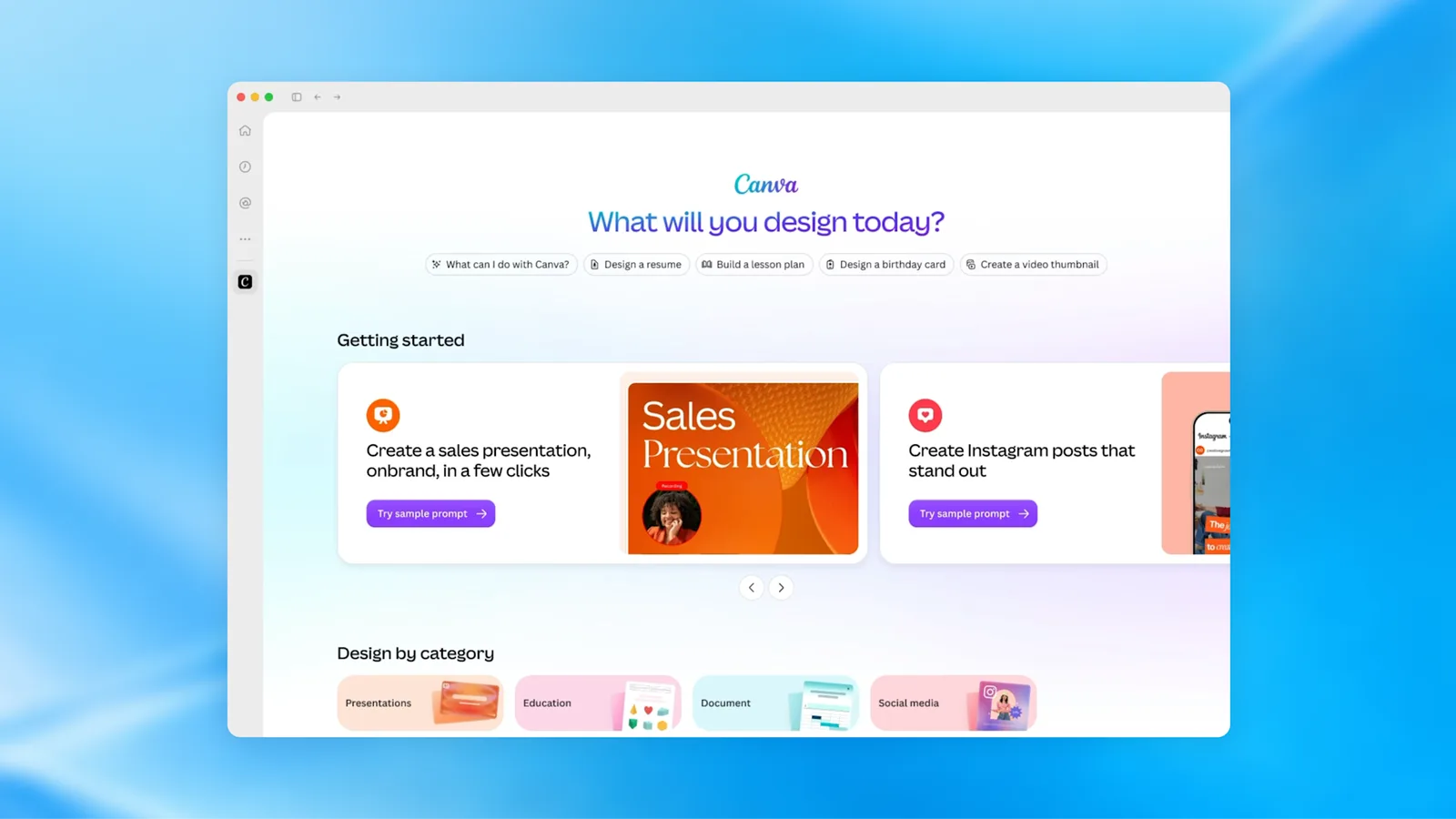
Image: OpenAI, DevDay 2026 Recap.
The recap says extensions are available on all plans. The documentation is more precise: on the web they are "coming soon" to Free and Go, and mentioning files in your prompt only works in the desktop app.
MCP events: an app that puts ChatGPT to work
MCP (Model Context Protocol) is an open standard that lets AI models talk to other software. With MCP events, ChatGPT can subscribe to events in a connected app and start an automation when they happen, even when you are not around (OpenAI, MCP events). Suppose a new enquiry arrives in your CRM: ChatGPT can summarise it or prepare a task.
For builders this requires the new MCP version (2.0). The documentation contains one sentence every builder should remember: treat comments and other user-written text in such an event as data, not as instructions. Otherwise anyone could give ChatGPT orders through a form field.
Sign in with ChatGPT: bring your plan with you
Sign in with ChatGPT consists of two separate permissions (ChatGPT documentation):
- Signing in to another app with your ChatGPT account.
- Using your plan: as a Plus or Pro user you let an app make AI requests against your ChatGPT allowance.
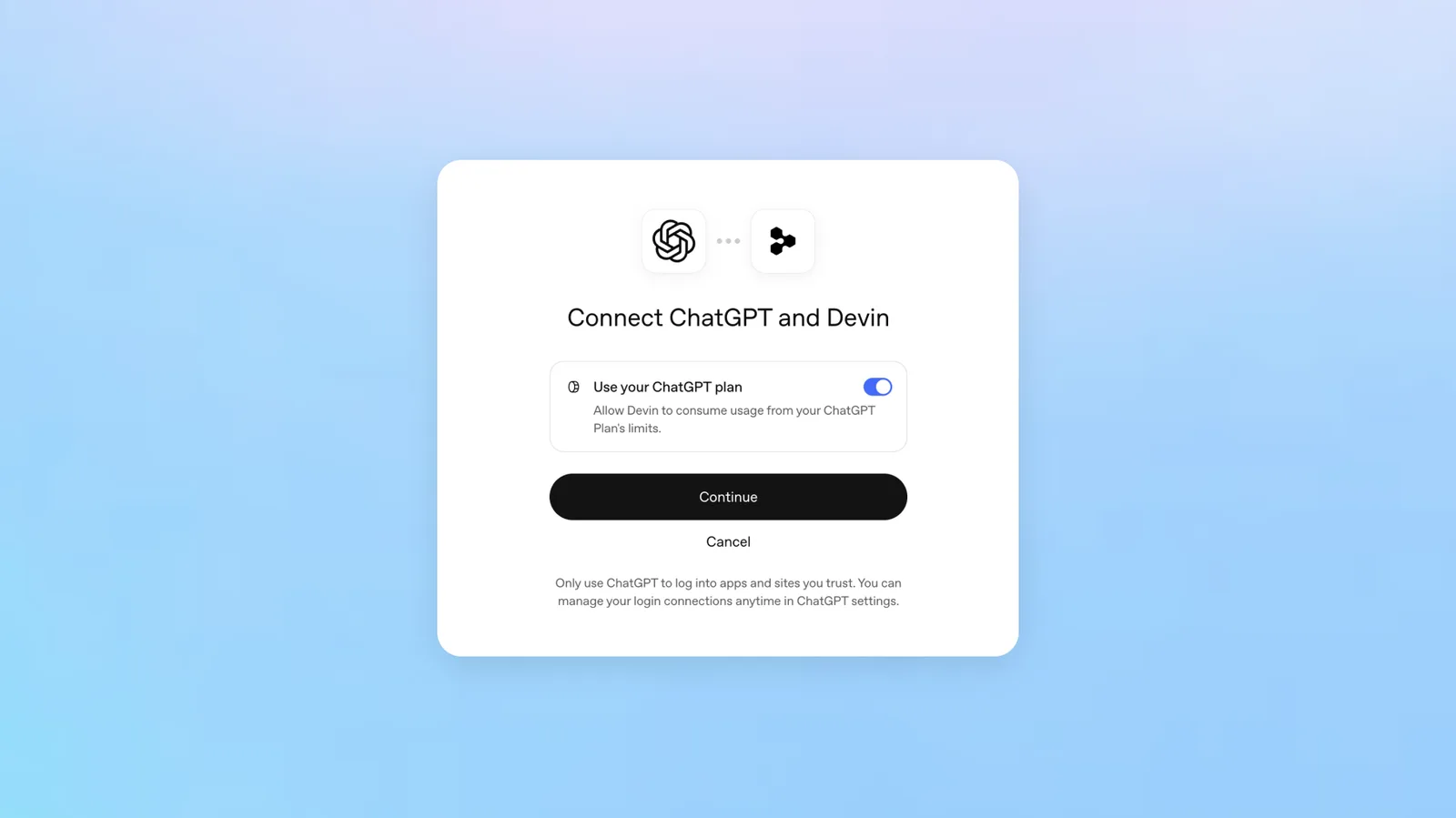
Image: OpenAI, DevDay 2026 Recap.
OpenAI names sixteen partners where you can use your allowance, including Cognition's Devin, Notion, Vercel and Dactyl, plus open-source tools such as OpenClaw and T3. Airtable, Canva, GitLab, HubSpot and Supabase only offer sign-in. Per app you set a weekly limit as a percentage of your allowance, and the app gets no access to your conversations or memory.
Usage counts toward the limits of your existing plan. You do not get extra allowance, and the app may charge its own fees. You disconnect an app in ChatGPT under Settings, Security and login, Sign in with ChatGPT.
For builders it is less open than it sounds. The recap says sign-in is available "globally", but the developer documentation says it is currently offered to a select group of commercial partners, with a waitlist for everyone else (OpenAI, request a client ID).
OpenAI Marketplace: buying through your OpenAI contract
Large customers can spend part of their existing OpenAI commitment on partner software, such as Figma, Adobe, HubSpot, Salesforce and ServiceNow. OpenAI names 32 launch partners. For now, Enterprise customers can only register interest. For most European organisations this is not relevant yet.
What this means for your organisation
The more software runs inside ChatGPT, the more ChatGPT becomes a gateway to your business data. OpenAI says users choose which plugins to use and approve the access each one receives. That works for an individual. For an organisation it means the choice sits with every employee, unless you agree otherwise.
Three questions to answer now:
- Which plugins do we allow? A short list of approved apps works better than a ban nobody follows.
- With what permissions? Read-only wherever possible. Writing to your CRM, accounts or web shop only with a reason and an owner.
- Who keeps an eye on it? Someone needs to see which connections are active and be able to revoke them.
If you use ChatGPT Business or Enterprise, colleagues can also share plugins in a team. How that fits with Space and Pages is covered in ChatGPT Space, Pages and Team Tasks.
If your business provides software to customers, a plugin becomes interesting once your customers already do a lot of their work in ChatGPT. Measure that first. Until you know, a solid API or MCP connection is a wiser investment than a full extension, because it also works with other AI assistants.
When to wait
In the pages we read, there are no regional restrictions for plugins, MCP events or Sign in with ChatGPT, but nothing about EU data residency either. And the terms for builders are still changing. Anyone building a plugin today is building on a moving platform.
Want to know which integrations and custom applications fit your processes? Have a look at our work or book a conversation.
This was one part of DevDay. The full overview is in OpenAI DevDay 2026: what it means for your business.
Sources
- OpenAI, DevDay 2026 Recap, 29 September 2026
- OpenAI, Plugin extensions
- OpenAI, MCP events
- OpenAI, Sign in with ChatGPT (user documentation)
- OpenAI, Sign in with ChatGPT (developer documentation)
- OpenAI, Sign in with ChatGPT: request a client ID
- CNBC, OpenAI DevDay 2026: Live updates and announcements, 29 September 2026